Showing posts with label GDS2. Show all posts

2023/07/24

GM GDS2 2023.7.13 Free Download

 Obdii365.com here provides latest version GM GDS2 Global Diagnostic System software 2023.7.13 free download.


Released date: July 2023


Software version:

GM GDS2 v22.4.05300

GM Global 2023.7.13

GM China 2023.5.2

SAAB 2023.7.13

Opel GDS2 2023.04

VINFAST 2022.07


Free Download GM GDS2 2023.7


Supports GM Vauxhall Opel Buick and Chevrolet till year 2023.


Compatible devices: VXDIAG VCX SEGodiag J2534JLR mangoose proPCMtuner, GM MDI, GM MDI2 etc

Language: German, Spanish, French, Italian, Dutch, Portuguese, Vietnamese, Russian, Thai, Japanese, Korean, English, Chinese

Operating system:

Win 7, 8, 8.1, 10 and 11 32 or 64 bits
Win 10 64 bits very good choice.

Activation is required. Contact obdii365.com customer service for activation.


Software Display:

GM GDS2 2023.7.13 Free Download 1

GM GDS2 2023.7.13 Free Download 2

GM GDS2 2023.7.13 Free Download 3

GM GDS2 2023.7.13 Free Download 4

GM GDS2 2023.7.13 Free Download 5


2023/06/13

GM GDS2 V2023.05 Software Free Download

 GM GDS2 V2023.05 + Keygen and Tech2win with patch download free for GM group till year 2024.


GDS2 V2023.05 + tech2win download

2023 Deliverables and Installs – GM Global v2023.5.0 ; GM China v2023.4.4 and GDS2 version 22.4.05000.

Tech2win with patch


GM GDS2 V2023.05 Software


Operating system:

Win 7, 8, 8.1, 10 and 11 32 or 64 bits
Win 10 64 bits very good choice.


Security: unknown.

If need a safe resource, here is the 500G HDD Win10 64bit O/S, plug and play.

https://www.obdii365.com/wholesale/gm-mdi-gds2-gm-mdi-gds-tech-2-win-software.html

GM GDS2 V2023.05 Software 1

GM GDS2 V2023.05 Software 2

Installation procedure:

All packages are noted for order of installation, from 0->9, done.

1. Install Java 32 bits version
2. Install Tis2web Connectivity
3. Install GDS2Java
4. Install GDS2
5. Add diagnostic packages in the correct location
6. Activate and lease it using gds2 keygen
7. Install GM MDI Manager
8. Start GDS2
9 Choose language.
10 Go install one of the diagnostic packages
The GDS2 will restart and then it will be ready to use it

If one of the steps went (wrong) especially then it’ll doesn’t work.


Some frequently asked questions:


Q: What hardware does it work with?

A: GM MDI/MDI2/VAS 5054A/Autel J2534/VXDIAG VCX NANO GM, GM Mongoose Pro2/Pro3, Cardaq Plus 2/3, Opel/Vauxhall VCI etc.


Q: which version of GDS 2 is newer than 100.0.00700 or 22.4.05000 (for example)?

A:  GDS2 v 100.0.00700 is European version for Opel up to 2021 and Chevy ( EU models only ) up to 2017 ( public.servicebox-parts )
GDS2 22.4.05000 is Global version that cover all the rest including Opel up to 2018 and GM Global ( NA models ) up to 2024 and the future.
This Gobal GDS2 version is the one from GM Techline. ( acedelcotds )
Both version are the last on for their regions.


Q: is this only good for europe? I am looking for gds2 for USA (NA).
A: Take care here it is EU GDS2 version including EU packages. This is not for NA/USA use.
OV GM Global is diagnostic package for Chevrolet Europe not for USA models.

But the download link adds a GDS2 Special 6 in 1 edition (with US inside) + new drivers + different Tech2Win versions.
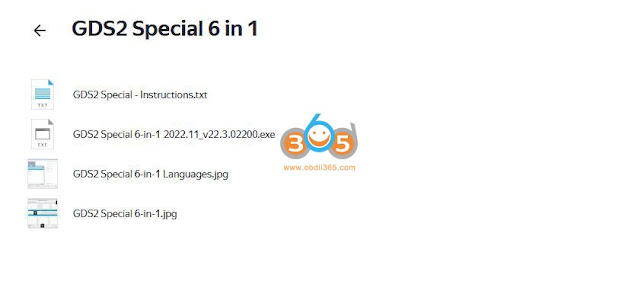
GM GDS2 V2023.05 Software 4


Q: I have installed everything fine, but GDS2 says “no valid lease found”

A: The GDS2 keygen is activating your GDS2 and add lease unlimited too.


Q: is there any chance to use scanmatik2pro with it? Scanmatik 2 pro it’s recognized in GM GDS2 .Is there any chance to use Scanmatik 2 pro will it work with Tech2Win does not see the adapter?

A:  Scanmatik as all others are passthru devices. They work in GDS but to be able to use tech2win you need to have a special driver. That kind of driver was only aproved by gm to a short list of devices except theirs, like cardaq or mangoose but not to others.


Q: Can i Use it with Autel J2534 passthru?

A: Yes, you can.


Q: How do you know which MDI Manager to install? I dont think we are supposed to install all of them?

A:  Many use MDI-MDI2_Manager_v8.5.33.78…. Work fine with Global Tis 32 and GD2. Free to test by your side.


Q: Hi having difficulty installing GDS2 getting error “The system cannot find the file specified. -t2w-proxy.jar”

A:

Steps:

1. Uninstall Java 8
2. Uninstall Tis2 w
3. Uninstall GDS2 Java
4. Uninstall GDS2 Opel
5. Restart
6. Install Java 6u16
7. Install Tis2 w
8. Install GDS2 Java
9. Install GDS2 Opel


Q: Would the key work on the techline as well ?

A: GDS2 standalone and GDS2 in Techline works as well but in offline mode.


Q: Do we use the gds install to run these ones in the folder as selecting them through the browse doesn’t work.

A: TRY

*copy deliverable folders (DO NOT EXTRACT) here: C:\ProgramData\GDS 2\PersistentData\Downloads\DataBackups

*extract the deliverables you want and only copy the .xml files and install them here: C:\ProgramData\GDS 2\PersistentData\Downloads AND also install here: C:\ProgramData\GDS 2\PersistentData\Downloads\Deliverables

**when you go to manage diagnostic packages before doing the above you can click browse and you find the deliverable you want to run and then gds2 should restart automatically after gds2 restarts look at the lower left corner of the screen it shows you what version of gds2 you are running and what deliverable you are using.


Q: Before install 6 in 1 GDS2 was work well but after install 6 in 1 this dialog was appear and couldn’t connect to VIM. How can I solve this?

A:  Java or Tis2webConnectivity issues. Or both.
Reinstall item.


Q: should i unzip and copy the “jre”files on last step 9 keygen file ?

A: No, unzip the keygen (file+folder) and run it.

2022/12/12

GM MDI2 Program Corvette C7 Key Fob via Techline

 Here we share a user working experience on Chevrolet Corvette C7 key fob programming with GM MDI2 clone and Techline Connect SPS2.


“I lost my only FOB for my Corvette C7 2014. I have a ACDelco Techline Connect dealer tool subscription for that VIN so I can do all software updates. I am using a GM MDI2 clone which works great. I can get the car into accessory mode with it and not have the key (it appears) as it lets me get into the “Immobilizer” learn / relearn option.

It was one of those cheap Chinese knockoff MDI2’s. The nice thing is it still gets the firmware updates from AC Delco when you launch the tool. The official apps see it as a genuine device. So far I’ve had no issues with it at all. It was kind of a fun thing clicking through each computer module in my vehicles and finding newer software versions.

I do not have the keys, nor any FOBs. I will see if it lets me do a “Learn new” without having any key in the vehicle (program a FOB without having the original key).

I did some research and found that if you have a key you can program on the C7. You can lose both FOBs and program the new FOBs to the car. All you need is the key or the cool stuff the OP has to get it done. But you should still have a key! The FOBs are not programmed, the car is programmed to recognize the FOBs.


Updated.

I got the new fob programmed and can now lock/unlock and start it! This was without both FOBs or any keys. I used the TechLine SPS2 tool and the MDI2 to update the Immobilizer from ACDelco. They are great tools for cases like this and a VIN subscription is like $45 for 24 months!

GM MDI2 Program Corvette C7 Key Fob via Techline

On my c7, I only had to be in the vehicle with my GM MDI 2 scanner connected. Using the Techline software, I am able to connect to the vehicle and do software updates on any computer modules. This includes programming replaced parts (New ECU without VIN).

I do want to note if you’re programming a new FOB without a key– they built in a 15 minute timer that you MUST wait to complete before it lets you move to the next step. The whole process takes yet another 10-15 minutes following prompts (press start button) hit next (Press and hold start button for 12 seconds)– press next…etc.

I think the built in the initial 15 minute delay prevents quick thefts but scary none-the-less that it can be done without any key at all. That part I certainly agree on! Again, these are meant to be dealer tools– I am just a techie type person who wants to do my own Infotainment and other software updates on my own. I just happen to get lucky and have this tool when I lost my key and wondered if it would work.

I have an early 2014 that had the dim dash display at dusk – so I used it to update all of the modules required to fix it. It looks like most modules were up to date but did find maybe 5 or 6 that I updated to the latest versions. I used it on my GMC Acadia as well and it resolved some of the quirky bugs on the Infotainment. “

2022/09/20

Free Download 2022.05 & 2022.07 GM GDS2

 Free Download GM GDS2 Global Diagnostic System 2022.05 & 2022.07 software.


V2022.05 GM GDS2


Date: May 2022

Version: V2022.05

Operating system: Windows 7- Windows 10 (32 bit) native install

Device affected: vxdiag vcx nano gm/opel wifi/usb device as well as other vxdiag scanners

Safety: 100% safe


GDS2 2022.05 Native Install

GDS2 V2022.05

incl. GDS2 patch and GM VCI manager

Tech2win 16.02.24

VX Manager 1.8.9 


Database version:

GM China V2022.06.0

GM Global V2022.05.0

Opel/Vauxhall V2020.1

Sabb V2020.4

VINFAST V2021.4

gm gds2 2022.05 software 1

gm gds2 2022.05 software 2

V2022.07 GM GDS2

Date: July 2022

Version: V2022.07

Operating system: Windows 7- Windows 11 (32 bit/64bit) native install

Win 7, 8, 8.1, 10 and 11 32 or 64 bits
Win 10 64 bits very good choice.

Interface affected: GM MDI, MDI2, Bosch Opel interface

Safety: Unknown, You are at your risk.


GM GDS2 FREE NATIVE INSTALL 07.2022

All you need is here with baby steps 0->9:

https://disk.yandex.ru/d/df9OyF2NgdF3Kw

Password: Fantomel


All packages are noted for order of install, from 0->9, done so that even a little baby can do it. Files are uploaded in yandex. if you can’t download them, open a free account with 3 clicks, import the packages to your new account and download them from there.

It also works on GM Techline but the lease files need changing into correct folders. Enjoy.
GM GDS2 DATA FULL 2022
– Update GM DATA full
– install all file from 1–>3

BrightDrop
Cruise
FCCC
GM China
GM Global
GM PreProduction
Medium Duty Truck
Navistar PreProduction
Navistar
Opel/Vauxhall
Saab
SAIC
VINFAST

gm gds2 2022.07 software


Here is bonus

GDS2 Deliverables 08.2022 EU

Here you have EU Deliverables for 08.2022 . Keep in mind that GM EU or PSA it is very slow on updates and in general they say release date is 2020.

https://disk.yandex.com/d/zUTSydLuE0FUZQ

Password: Fantomel

2022/04/17

How to Fix GM MDI2 GDS2 No Valid Lease Found?

 Here comes the solution to GM MDI or MDI2 multiple diagnostic interface GDS2 Sata hard drive (HDD) ‘no valid lease found’ solution.

Fix GM MDI2 GDS2 No Valid Lease Found

The problem is usually caused by copying the HDD contents.

For customers who want to backup the GM MDI software, but get the error code “No Valid Lease Found”.

You have to activate GDS2 software again.

Here is the online activation service for GM MDI 2 Software

https://www.obdii365.com/wholesale/gm-mdi2-solution-for-no-valid-lease-found.html

Activation is done via Teamviewer. No real shipping.

2021/01/19

GM MDI 2 GDS2 Software V2020.09 Using Tips

 The GM MDI 2 multiple interface will transfer data faster than a MDI 1/ VCX Nano GM (since its a MDI1 clone).  The GM MDI2 clone blue box are out,  running about $200, it is really needed for the 2020 and future cars that will be running the future global B platform.


Hence installing the needed software to get everything to run can be almost brain damage if you are not tech savvy, and because of this, There is the MDI 2 clone with cracked free type software already loaded on a Sata Hard drive for $260.

MDI2 with 2020.09 HDD v8.3.103.39 gds2 tech2win

It will work on win10, but the cracked software for MDI2 clone requires win7.


Tips:

1. If you purchased V2020.09 GM MDI GDS2 Tech2win software Sata HDD, please directly plug it into your computer with Win7 OS, then confirm if the driver can be used, that’s oaky, it is not necessary to install by yourself.

If it prompt update the JAVA, please don’t update it otherwise the GDS won’t be working.

If it prompt update the firmware, just do it.


  1. After updating gm mdi manager, please update the firmware simultaneously.


  1. The WIFI GM MDI 2 Multiple Diagnostic Interface from obdii365 is compatible with the original Bosch GDS2 software, as long as the user has License by yourself.

gm-mdi2-original-gds-1

gm-mdi2-original-gds-2

Customer feedback on MDI2 clone and genuine GDS:

“I just received my MDI II clone a couple of days ago and did a firmware update to make sure the latest v2020.12 Bosch software would recognize it and update it and it did with no problem. Programmed an ECM on bench. Connecting it through ACDelco Tis2Web and then use SPS to program the actual controller.

It is verified working with bosch GDS just as the seller advertised.”


If someone is looking to buy a global B platform car, and needs a tool that will work on both it and the older cars like the C6 corvette, gm mdi2 clone really is the ticket. As for right now for a C6 and “A” platform cars, the vxdiag vcx nano gm has you covered for $109 instead.


Read also:

http://blog.obdii365.com/2019/06/24/gm-mdi-2-genuine-vs-china-clone/

2020/04/03

Free Download V2020.2.1 GDS2 for Opel Vauxhall

GDS2 V100.0.00700 Opel -Vauxhall V2020.2.1 + MD5 hash 2020.zip:
Zip File: e257c188fb5b963412126af6010f0cd2

vci-setup.zip:
Zip File: 3db2f711129bfc33670455d1f916c256

Images mean a lot:
GDS2 V100.0.00700 home menu.
gds2-2020-main-menu
GDS2 V100.0.00700 packets:
gds2-2020-package

GDS2 V100.0.00700 year-up to 2020:
gds2-2020-up-to-year-2020

Astra K 2019:
gds2-2020-astra-k-2019
Astra K 2020:
gds2-2020-astra-k-2020-year-1

gds2-2020-astra-k-2020-year-2

The tested hardware compatible with GDS2 V100.0.00700:
  1. Vxdiag VCX Nano for GM Opel Vauxhall
Wifi version: Confirmed
USB version: Confirmed
The above links are for vxdiag and the loader will start only with connected vxdiag device.
The device is great to start the program an use my MDI.
vxdiag-gm-gds2

  1. GM MDI (sp163-c or sp163-d):
Not compatible with GDS2 V100.0.00700 above.
Please free download GDS2 here: https://mega.nz/#F!jN4lSYaA!5Q_p4sZEySxLu6HVPP418A
And TIS2000 free download (obdii365.com engineer uploaded):
gm-mdi

FYI, GM MDI v8.5.33.53 – it is the manager for GM MDI and GM MDI2
v2.5.36. – it is the manager for the newest Bosch Opel Vauxhall VCI ( this replaced GM MDI2 ).

How to setup GDS2 2020 for vxdiag device?
GDS2 2020 shares the same installation method as GDS2 2019.2:

Personal installing experience:
I found a via to install and activate and works! Lease about of 9400 Days. works with VXDiag connected into USB
Uninstall GDS2 and GDS2 Java from Control Panel, and execute GDS2AutoInstall.exe (this install all automatically) (i used GDS2AutoInstall.exe from another version of GDS2 founded in the net)
then, install VX Manager 1.5.0.0428, (before run GDS2 from desktop, open VXmanager, go to diagnostics, my apps, then install GM GDS2/t2w,) connect the VXDiag and launch the shorcut placed in the desktop GDS2. In GDS2 select connect to MDI2, not to VXDiag.
gds2-2020-review


2019/11/15

How to do Chevrolet Malibu 2017 PCM Programming?

Question: How can I do programming used pcm for Chevrolet Malibu 2017
I have mdi but what software i must use.

Answer:
For 2007/8 and up, you will need a GM subscription to be able to program the used or new PCM. There is no other way of doing it. If it was used, you would be able to do antitheft only without sps subscription. Using a different tool of course. But the VIN would need to changed and that’s done only by programming PCM with SPS GM subscription. There’s eeprom reading and such, but I don’t know how to do that. In the USA, it’s much easier and simpler to just buy the subscription and program it. Any errors and GM can help you. Good luck!
gm-sps-programming-1

gm-sps-programming-2

gm-sps-programming-3
in detail..

The powertrain control module (PCM) in your vehicle is the main computer controlling its various operating systems. For example, the PCM controls the engine, the transmission, the fuel system, and the speedometer. If the vehicle isn’t performing the way it should, the PCM can be reprogrammed to increase performance. Recalls are another reason your PCM may need to be reprogrammed. Since Chevrolet is a subsidiary of General Motors (GM), GM tools and software are used to reprogram a Chevrolet PCM.

Step 1
Use your web browser to go to GM’s calibration look-up website, and type in your vehicle’s VIN number to check for any programming updates to your PCM. If there are updates, you will need to purchase GM’s techline information system (TIS) programming software and service.
Step 2
Turn on your computer and plug the GM scan tool into it and your vehicle, using the pass-through cable. Turn on the GM  scan tool and load the TIS programming software from GM on your computer.
Step 3
Click the “Service Programming System” option on the main screen of your TIS software on your computer. The “Select Diagnostic Tool and Programming Process” window will appear on your screen.
Step 4
Click on the “Pass-Thru” option under diagnostic tool, “Reprogram ECU” under select programming process, and “Vehicle” under ECU location. Click the “Next” button in the lower-right hand section of the window to proceed.
Step 5
Enter the VIN number in the VIN text box in the “Determine Vehicle” window, and click on “Apply” next to the text box. This will fill in your vehicle’s data in the boxes below. Click the “Next” button to proceed.
Step 6
Go through the checklist in the “Preparing for Communication” window, and click next to confirm your VIN number. If your VIN number is incorrect, enter the correct one. Click “Next” in the bottom-right corner.
Step 7
Click on the “PCM/VCM” selection under the “Select Controller” section of the next window. Select “Normal” under programming type and click the “Next” button.
Step 8
Select the newest calibrations for each system in the “Calibration Selection” window by clicking on each system’s tab, and putting a check mark next to the highest number of calibration. Click the “Next” button in the bottom-right corner of the window after every tab has a green check mark on it.
Step 9
Click “Next” at the summary screen after verifying your recalibrations. If all of your calibrations are up-to-date, an error will appear indicating there is nothing to reprogram. If they are not up-to-date, a transfer window will open and the program will begin to download and reprogram your PCM with the calibrations you selected.
Click the “Close” button on the “Programming Complete” window after the reprogramming is complete. You can turn off your scan tool and remove it from your vehicle.
Tip
  • GM technology and software is expensive. If this isn’t a procedure you will do on a regular basis, you can have your PCM programmed at your local dealer or some local part stores. All you need is your VIN, mileage and the PCM that needs programming.
Warning
  • Make sure the battery in your scan tool is completely charged. If your battery dies while in the middle of reprogramming, irreparable damage may occur.
Items you will need
  • Chevrolet scan tool (GM MDI or Tech 2)
  • Serial pass-through cable
  • Computer
  • Internet access

Chevrolet scan tool for reference

Functions/ SoftwareGDS2Tech2WinGlobal TISTIS2000
DiagnosticsYesYesNoYes
ECU ProgrammingNo.
But you can log in www.acdelcotds.com to do programming
No.
But you can log in www.acdelcotds.com to do programming
Yes.
But only program
ECUs offline for part of GM vehicles.

Yes
Key ProgrammingYes.
But you have to program new keys online via
www.acdelcotds.com
Yes.
But you have to program new keys online via
www.acdelcotds.com
NoYes
SPS ProgrammingNoYesYesYes
(with Tech 2 Go-between)

Based on the chart, GlobalTIS and TIS2000 are you way to go.

Tool / SoftwareGDS2Tech2WinGlobal TISTIS2000
GM Tech 2NoYes
(for old cars)
NoYes
GM MDIYes
(for new cars 2010-)
Yes
(for old cars)
YesNo
Mangoose PRO GM IIYes
(for new cars 2010-)
Yes
(for old cars)
NoNo
VXDIAG VCX Nano GMYes
(for new cars 2010-)
Yes
(for old cars)
NoNo

Based on the second chart, you should have teh2 or mdi interface for ecu programming.
But mdi is better for new year models.

Conclusion:
GM MDI interface with GlobalTIS software is the best for Chevrolet Malibu 2017 PCM programming